See exactly what you’d get
This is a real report from our pipeline — the same “Preliminary Automated Scan” we produce for actual stores, unedited. We couldn’t show you a real client’s report, and we never name the stores we scan. So we did the honest alternative: we built a small fictional storefront, seeded it with the accessibility failures we most commonly find on real e-commerce sites, and ran our pipeline against it, exactly as we would against yours.
What you’re looking at
- The store is fictional. “Harbor & Pine Outfitters” is a demonstration storefront we built — you can browse it and verify every finding on the live pages. Nothing on it is for sale.
- The failures are seeded, but representative. Every failure in it comes from the pattern we find over and over on real stores: unnamed carousel buttons, missing alt text, broken accordion wiring, unlabeled form fields, low contrast, autoplaying video, suppressed focus outlines.
- The report is unedited pipeline output. We ran our scan harness against the demo store and built the PDF from its findings, the same way we do for real stores. The only addition is the SAMPLE watermark.
- It is a baseline, not a verdict. Automated scanning catches roughly 57% of WCAG issues. This report is what the automated layer finds; it is not a compliance certification, and it says so on every relevant page.
The store we scanned
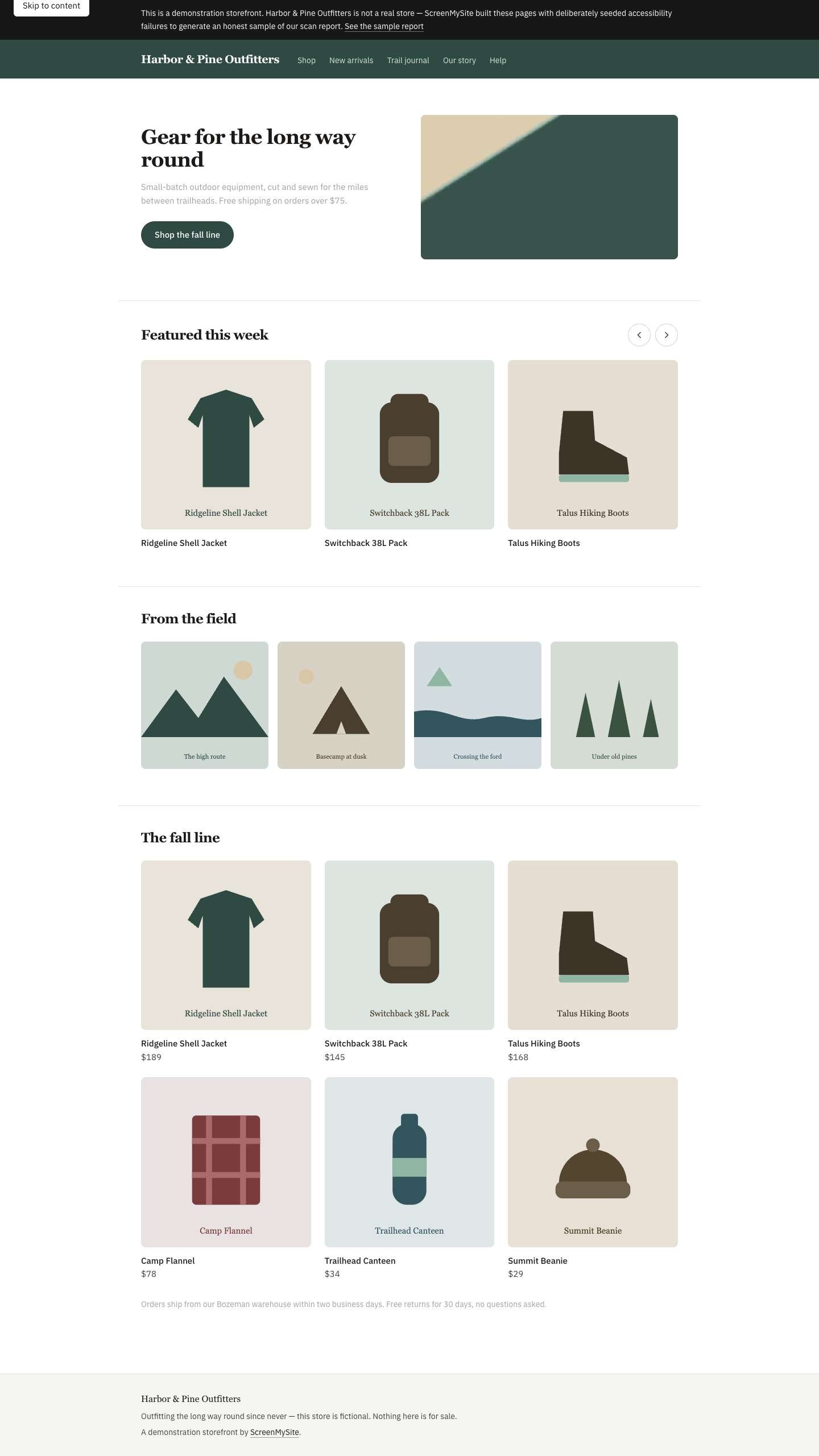
What the scan found
The full detail — affected elements, who it fails, how to fix it, how to verify the fix, and the embedded evidence screenshots — is in the PDF. This is the summary:
| Severity | Finding | Where | What it means for a customer |
|---|---|---|---|
| Critical | Carousel buttons with no accessible name (button-name ×2) | Home | A screen reader announces “button” and nothing else. The featured-products carousel cannot be operated. |
| Critical | Images with no alt attribute (image-alt ×4) | Home | Four images announce nothing at all, or their raw file path, to a screen reader user. |
| Critical | Accordion controls reference panels that do not exist (aria-valid-attr-value ×2) | Product page | The product details accordion claims to control panels missing from the page, so assistive tech is handed a broken relationship. A template-level failure: it repeats on every product. |
| Critical | Quantity field with no label (label ×1) | Product page | The visible “Qty” text is not programmatically attached, so a screen reader user reaching the field hears only “edit text, number”. |
| Serious | Text below the WCAG contrast threshold (color-contrast ×3) | Home + product page | Three text elements fall below the 4.5:1 minimum, unreadable for many low-vision users. |
| Serious | Autoplaying looping video with no pause control (WCAG 2.2.2) | Home | Motion that never stops and cannot be paused. Found by our probe layer, not by the base automated pass — the axe scan alone misses it. |
| Serious | Keyboard stops with no visible focus indicator (WCAG 2.4.7) | Home + product page | The store nav suppresses focus outlines, so a keyboard user cannot see where they are. Also a probe-layer finding, evidenced with focused/unfocused screenshot pairs. |
| Register | Six product images share one templated alt text | Home | Every product image “has alt text” and passes the automated rule, yet all six say the same thing. Flagged for human review — alt quality is a judgment call, and we say so rather than auto-asserting it. |
Two of those findings — the autoplaying video and the missing focus indicators — don’t appear in a plain axe-core pass at all. They come from the probe layer we run on top of it: a scripted keyboard sweep with screenshot evidence, and checks for motion without pause controls. That layer is part of every scan we deliver.
What your version of this looks like
Run the free scanner on your own store and you’ll see the automated findings for one page in about a minute. The full report adds the rest of your key templates, the probe layer, the evidence screenshots, and a human pass over everything automation can’t judge — alt text quality, whether checkout actually works with a keyboard, what a screen reader really announces.